Why Pinterest Boards Are Important
Pinterest boards are just how we organize our next vision or ideas for photoshoots right?
Well, yes and no.
Boards are how you as a user can organize the ideas and goals you have for a specific thing, but it’s also how you can organize your content for consumers to easily find as well.
Just like how you create a board to house all your favorites to come back to, the boards for your business account will house all your content for people to dive deeper into your work.
So photographers will have all their weddings in one board, and maybe their favorite golden hours in another.
Bloggers could have a coffee recipe board and then a specific warm fall drinks board too.
So let’s dive deeper into this so you can set your Pinterest boards up for success!
We’ll break down:
- What a Pinterest board is
- How many Pinterest boards to start with and how to name them
- What to pin in your board
- When to add more boards
What Is A Pinterest Board
Again, a Pinterest board is how you can better organize your content.
As a user, your boards will hold specific visions or topics to come back to easily.
So ideally, that’s what you want your business boards to be as well. So if someone finds one of your pins and wants to see more of your work, they can go to your profile, find the board with the topic and start scrolling through.
This is also why you only want to have your content on the boards. If you have too many pins from other people, they may end up going to them instead of you.
So the goal is, over time, have boards full of your photos, blog topics and content so when someone finds you and loves what you share, they can easily find more content from the boards.
How Many Pinterest Boards Do You Need and What To Name Them
This will always be the next question, along with how often to post, but I explain that in How To Schedule Out Your Pinterest Pins.
Some people will say that you need 10+ boards when you’re starting out, fill them with pins, and keep going. I wouldn’t though.
Unless you’ve been blogging or posting for years, you don’t need to start out so big. I recommend starting with 3-5 boards. This will be on the main topics you discuss and also based off of the keywords for your niche. I explain that more in The Importance of Keywords and Trends on Pinterest but some examples of what that could look like:
Photographers could be Wedding Ideas, Family Sessions, Engagement Sessions, etc. Then after some time, it could be more specific like Golden Hour Couple Photoshoots, Country Couple Wedding, Winter Wonderland Engagement Sessions.
Fitness Coaches could be Workout Ideas, Grocery Shopping Lists, High Protein Meals, etc. Then after some time, it could be more specific like Upper Body Strength Workouts, High Protein Chicken Crockpot Recipes, etc.
Or for content creators, topics could be about Coffee Recipes, Fall Outfits, Podcast Episodes (if you have one), etc. Then more specific after time could be High Protein Fall Coffee Recipes, Winter Weather Jacket Outfits, RomCom Book Recommendations, etc.
Then on each board, you’ll want to add a description to explain even more. And this really comes in handy if you have a broader board like Wedding Ideas. You can add the specific styles, if it’s summer and fall weddings you’ll be sharing, and then I’d recommend a call to action at the end.
That could look like:
“Follow my social media for daily recipes @yoursocialname”
“Book your next family session on my website www.contactme.com”
“Join our online community for weekly workout plans @yoursocailmedia or www.yourwebsite.com”
And we want this because if people like what you’re sharing and come to your board for more of your content, this will tell them what to do next.
But I recommend getting more specific once you have more content to share with those specific boards. And, if you are a photographer or content creator, I HIGHLY recommend starting a blog. If you’re interested, you can read more about that in How a Blog to Start a Blog For Your Photography Business.
But the names for these boards will be based off of the keywords you find for your niche. I explain that more in The Importance of Keywords and Trends on Pinterest.
If this is getting to be a bit too much for you, don’t stress! You can sign up for my Pinterest Account Set Up offer where I’ll do all of this for you. I have limited spots, so if you’re interested, you can read more about that offer.
What to Pin on Your Boards
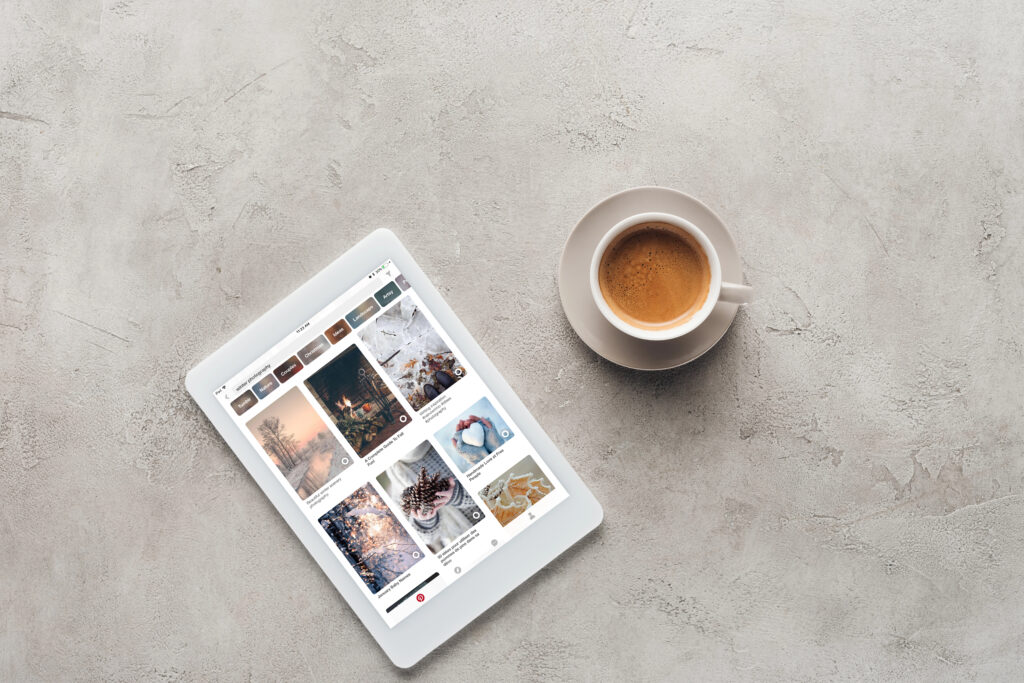
Now, I know I said to only share your content on your boards, and I mean that! But, when you’re getting started, it can be beneficial to put a few high-performing pins in a new board. This, along with a good board title and description with the right keywords, will help Pinterest better understand the kind of content you are and will be sharing in the future.
So when you first create your boards, I’d search the title of that board, and pin 2-4 of the top pins that YOU also like and feel is a good representation of what you’ll be sharing moving forward.
The pins that come up on the top when you’re searching are the best and most clicked/saved pins. So having them on your board to start will help get things started.
But after that, I’d recommend adding at least one of your own pins into each board as well. Again, from a different topic and with different links to not come across and spammy. And then from there, you can start scheduling and creating a plan where new pins are being added each day.
You can learn more on some simple recommendations for How to Schedule Out Your Pinterest Pins.
When to Add More Boards
Now remember, we’re starting with 3-5 boards, with overall topics you’ll be covering. But when do you add more boards?
This depends.
Again, I’d recommend having some blogs on your profile so that it’s easier to share a specific topic, and allow potential customers to go on your website and look around more.
But if you’re posting consistently 3-7 times a week, I’d say after 3 months to start adding another board or two.
Ideally you have more content to share, or more pictures saved up. Or if you have 5+ blogs on a specific topic, then you can start adding more boards.
The goal for all of this is to keep it simple. Just because someone else can create 10-20 boards, doesn’t mean it’s any better if they don’t have enough content for the boards.
It’s all a process and meant to be for the long-term. Pinterest grows off of itself, so whatever you do now is only going to benefit you in the future.
However, if this is still stressing you out, but you KNOW you want to be active on Pinterest, I’d love to help out!
First off, I can set all of this up for you! I’m offering a limited amount of Pinterest Account Set Up. Spots are limited before the price goes up, so if you are curious, I’d check it out now.
And secondly, if you have your account, but the thought of spending more time creating and scheduling content is defeating rather than exciting, I do offer Pinterest Management. This is where I take over your Pinterest account for business, create and schedule pins, do the keyword and trend research to provide content ideas for you, and create a plan to increase your website traffic and sales.
The goal is to make your business a little easier and less stressful for you. I know there’s so many recommendations out there, and I’ve tried most of them.
I just want to support the passionate business owners that want to do more, create a system that’s sustainable to do, and also allow growth to continue happening.
So don’t overthink this, and happy pinning!